See music, play along – learn to read notes.
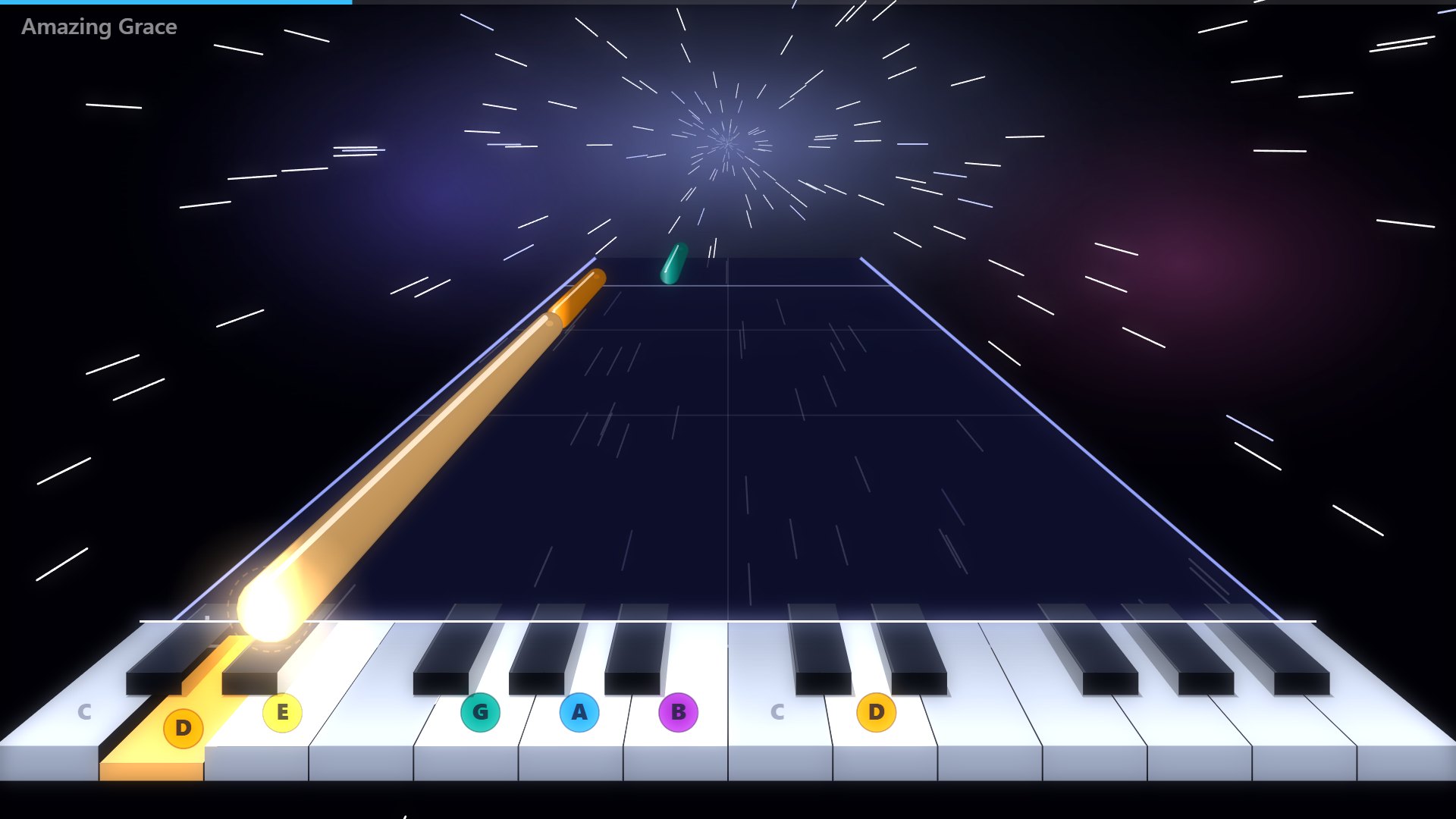
Klangbahn shows music in colours: the notes fly towards you and you play at exactly the right moment – on your phone, a keyboard or real Boomwhackers. So simple that four-year-olds can join in. And step by step it leads from colours to notes.
Who is Klangbahn for?
For children and families
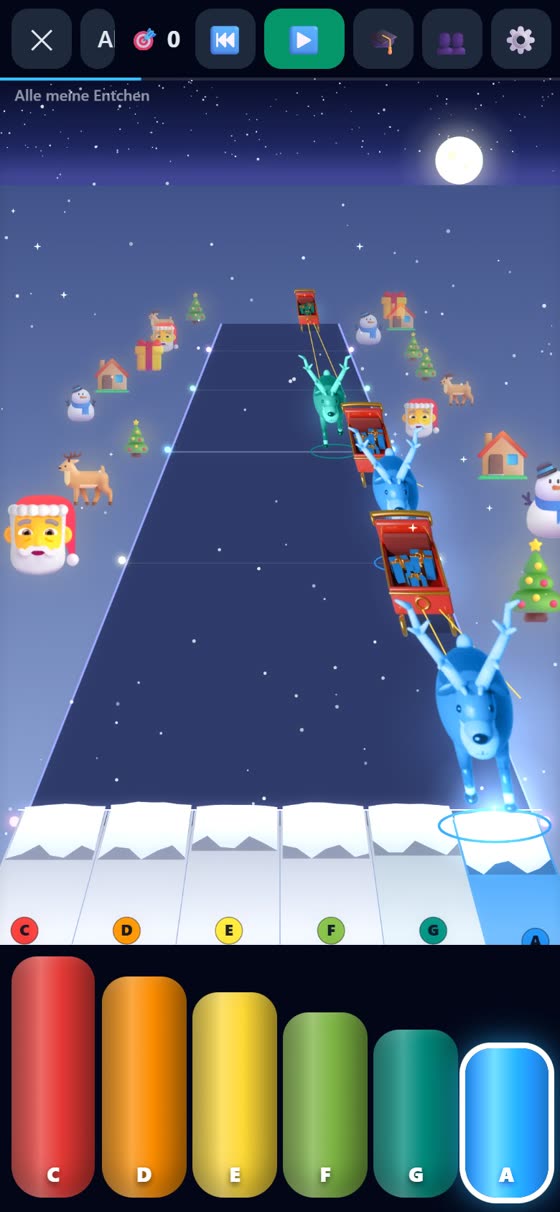
Phone in hand, pick a song, play along. With stars, learning games and songs to sing – also in pairs.
How it works at home →For everyone who wants to play (again)
Keyboard, piano or Boomwhackers: Klangbahn shows you what comes next – at your own tempo and in any key.
Play along →For teachers and schools
The whole class makes music: every child sees their part – Boomwhackers, keyboards, mallets, percussion. On the projector, no installation.
For schools →Phone in hand – and play along
The notes fly towards you. Tap the right tube or key when the note arrives. Hits light up, and at the end you get stars.
Big, colourful tubes or piano keys – right on the screen. Portrait and landscape.
For the little ones: the song pauses until the right note is played. No pressure, no losing.
Boomwhackers, grand piano, guitar, harp, flute, kalimba and many more – real recordings.
Plug in a USB keyboard (Chrome, Edge, Android) – or play on a computer with A, S, D, F …
Practise slower, let the help melody play louder or softer, change the key – all for free.
Keep going and see your progress – no account, everything stays on your own device.
From colours to reading music
For many children, notes look strange at first. Klangbahn builds a bridge: every note has its colour – and step by step, colours turn into names and notes.
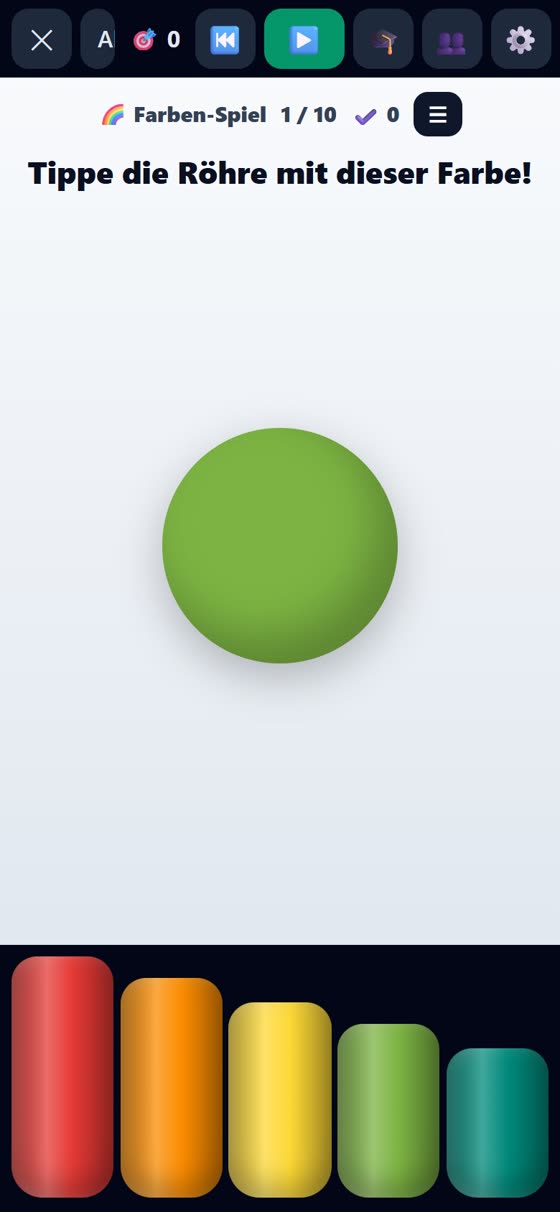
Colours
The notes arrive in their colours. Red, orange, yellow … – if you know colours, you can play along.
Note names
Every tube shows its name: C, D, E. Children playfully remember which note is which.
Reading notes
The same music as a line of notation – first with colours, then without. With games for reading notes.
Listening and playing back
Recognise notes by ear, play melodies back, understand note values – and make music freely.
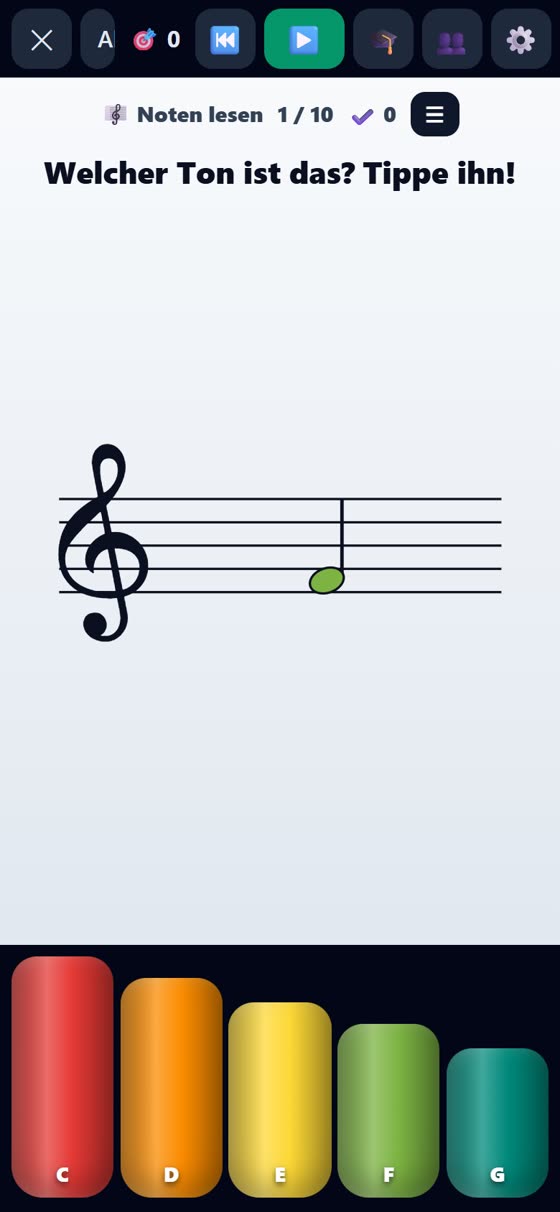
Learning games on your phone
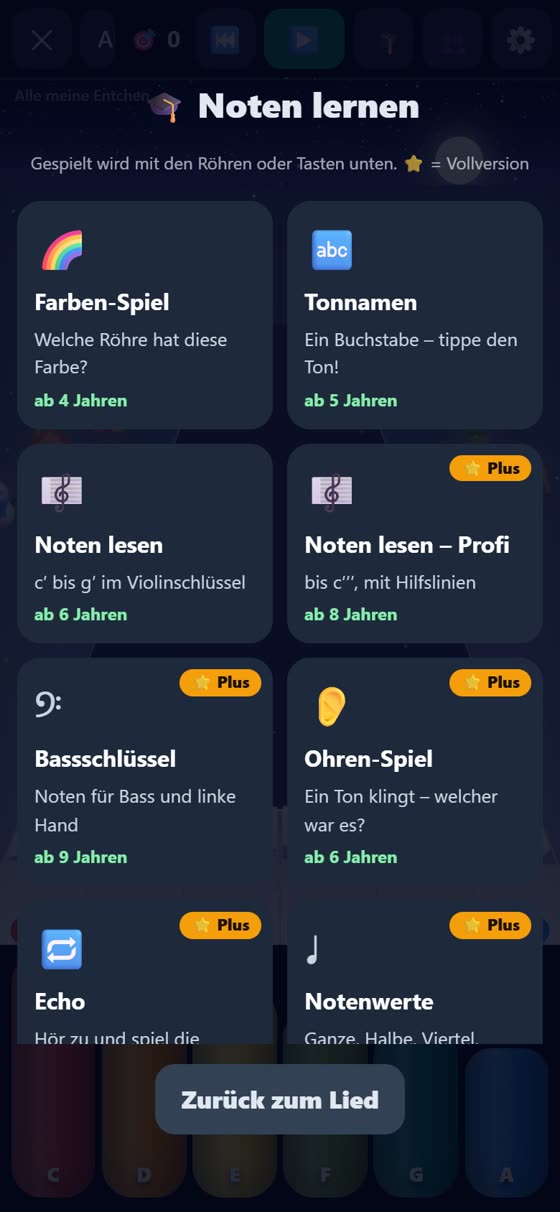
Played with the tubes or keys – short rounds of ten questions with stars. Three games are free, the others come with the full version (one free trial round each).
Which tube has this colour? For the youngest.
A letter appears – tap that note.
c′ to g′ in the treble clef, with colour help.
Up to c′′′, with ledger lines.
For bass, cello and the left hand on the piano.
A note sounds – which one was it? With levels.
Listen and play back – the melody keeps getting longer.
Whole, half, quarter, eighth – and how long they sound.
👥 Play together
One phone invites, the other scans the QR code – and you play the same song: one the melody, one the bass. In the same room or in different places.
- Invite with a QR code or link
- Melody or bass – everyone their own part
- See each other’s hits
- No account, nothing is stored
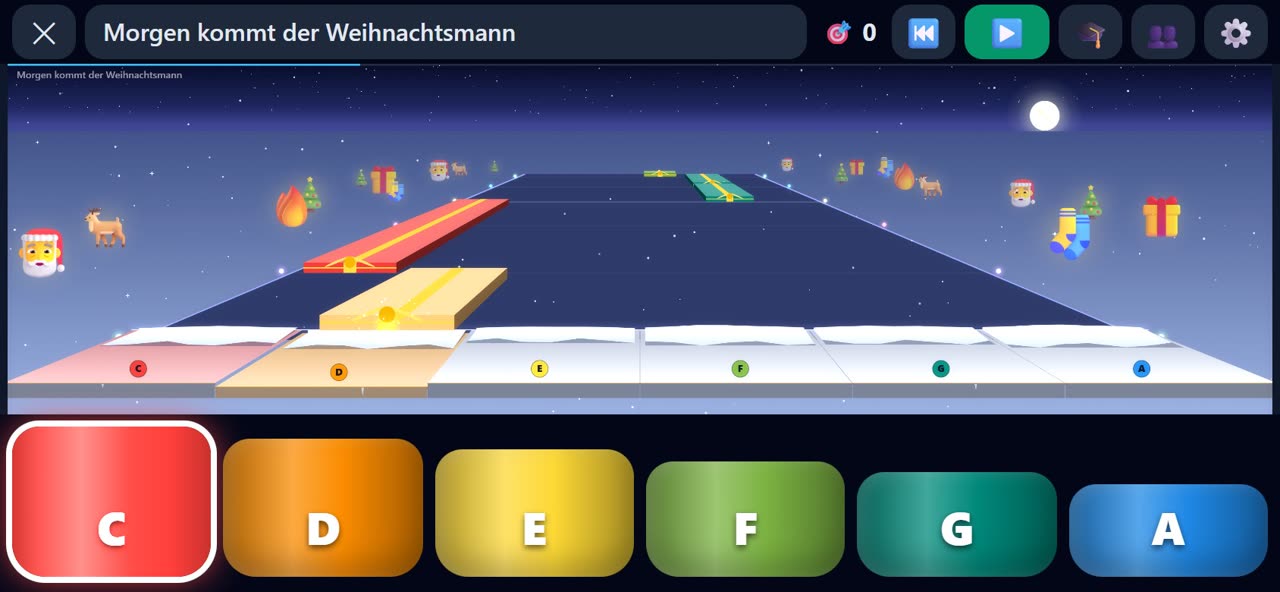
The whole class makes music.
Klangbahn shows every child when it’s their turn – on Boomwhackers, keyboards, mallet instruments and percussion. Pick a song, assign the seats, press play. In the browser, on the projector, no installation.
How it works in class
Three steps and the class is playing. No music reading needed to get started – and the children still learn notation along the way.
Pick a song
Children’s songs, folk songs, Christmas songs, classical hits and songs from around the world – or your own MIDI or notation file.
Assign the seats
Every child gets their part: one note, a few notes or a whole part – depending on instrument and skill.
Press play
The notes travel along their lanes. When a note reaches the line, the child with that colour plays – exactly as long as it glows.
What’s inside
Klangbahn is being built in real music lessons – which is why there is much more inside than falling notes.
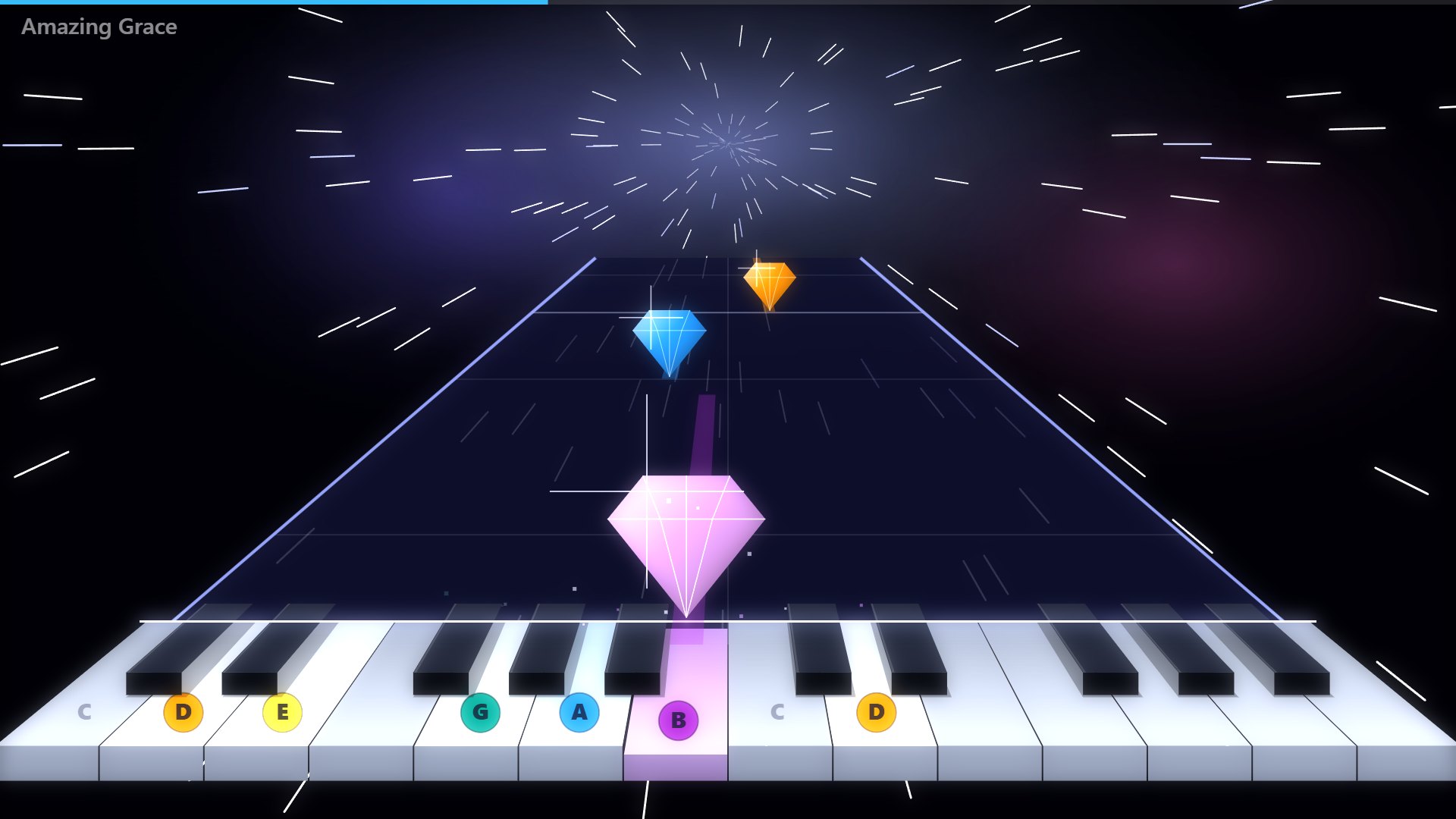
Stages you won’t forget
More than twenty stage looks – from calm crystal to a 3D road with diamonds, soap bubbles, reindeer sleighs, school buses or children on their way to school.
- The keys used in the piece are labelled from the start
- The next key lights up in advance
- Long notes look long, too
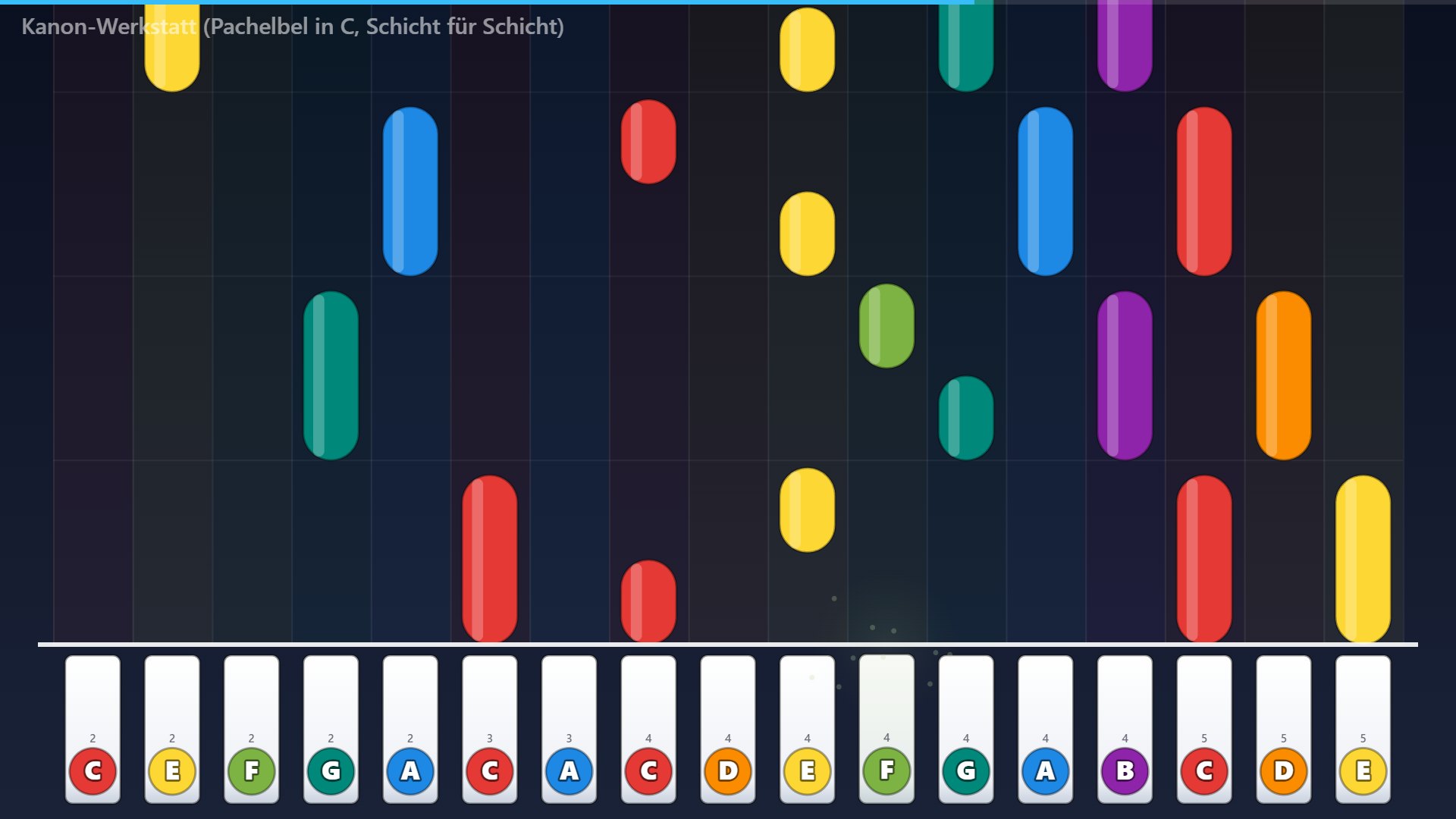
Every child sees their part
Klangbahn distributes the notes of a piece across the seats in the room – mixed if you like: Boomwhackers, keyboard, mallets, percussion, body percussion and cup rhythm.
- easy, medium, hard per seat
- four and six hands on the keyboard
- layer-by-layer workshops, e.g. Pachelbel’s Canon or Christmas songs
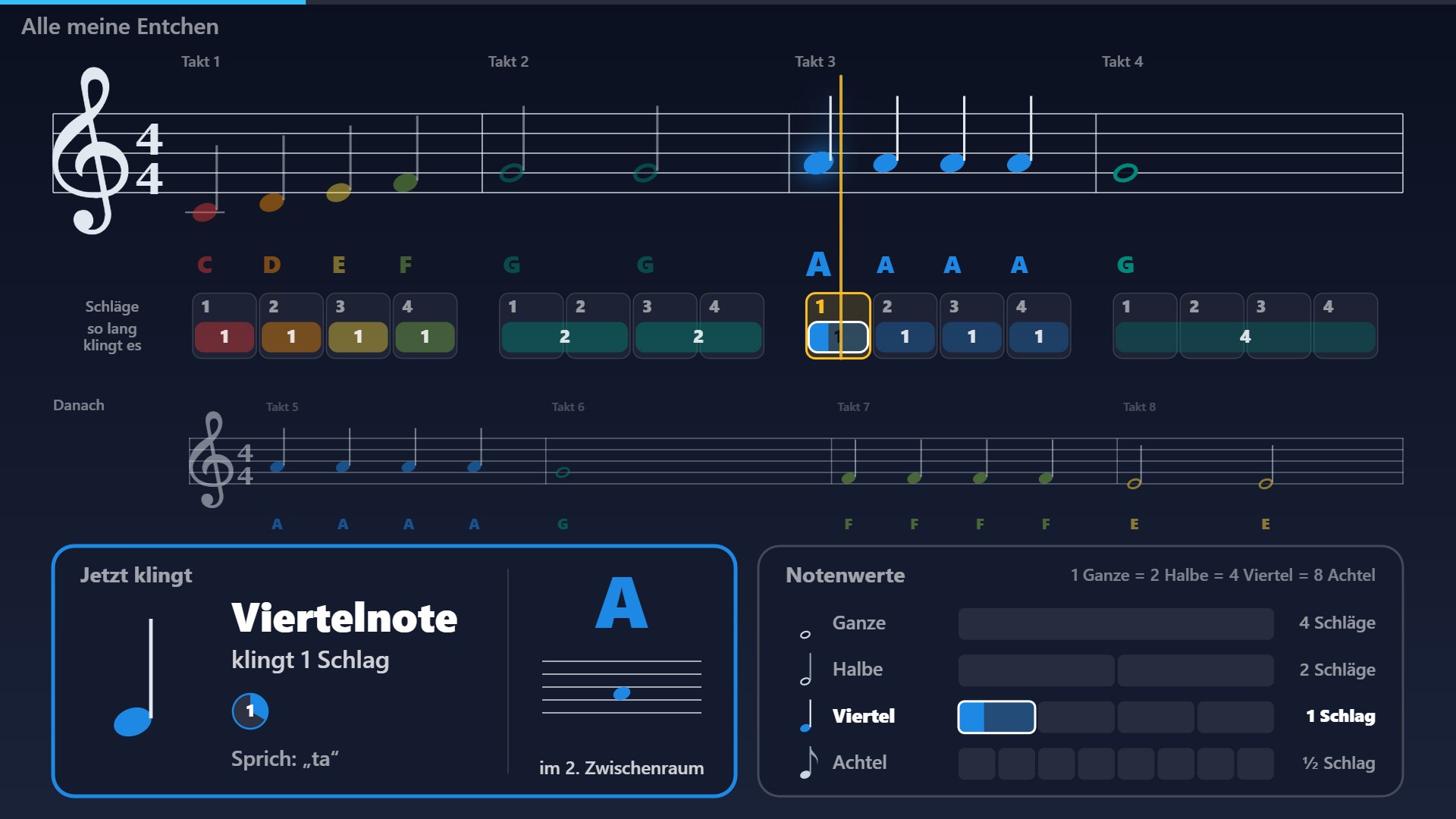
From playing to reading music
The same music as a line of notation: coloured notes, note names, note values and the beats to count along. Plus an explain mode that builds up music notation step by step.
- Note values and rests matching the curriculum for ages 10–12
- Write your own notes and hear them instantly
- Printable overviews and worksheets
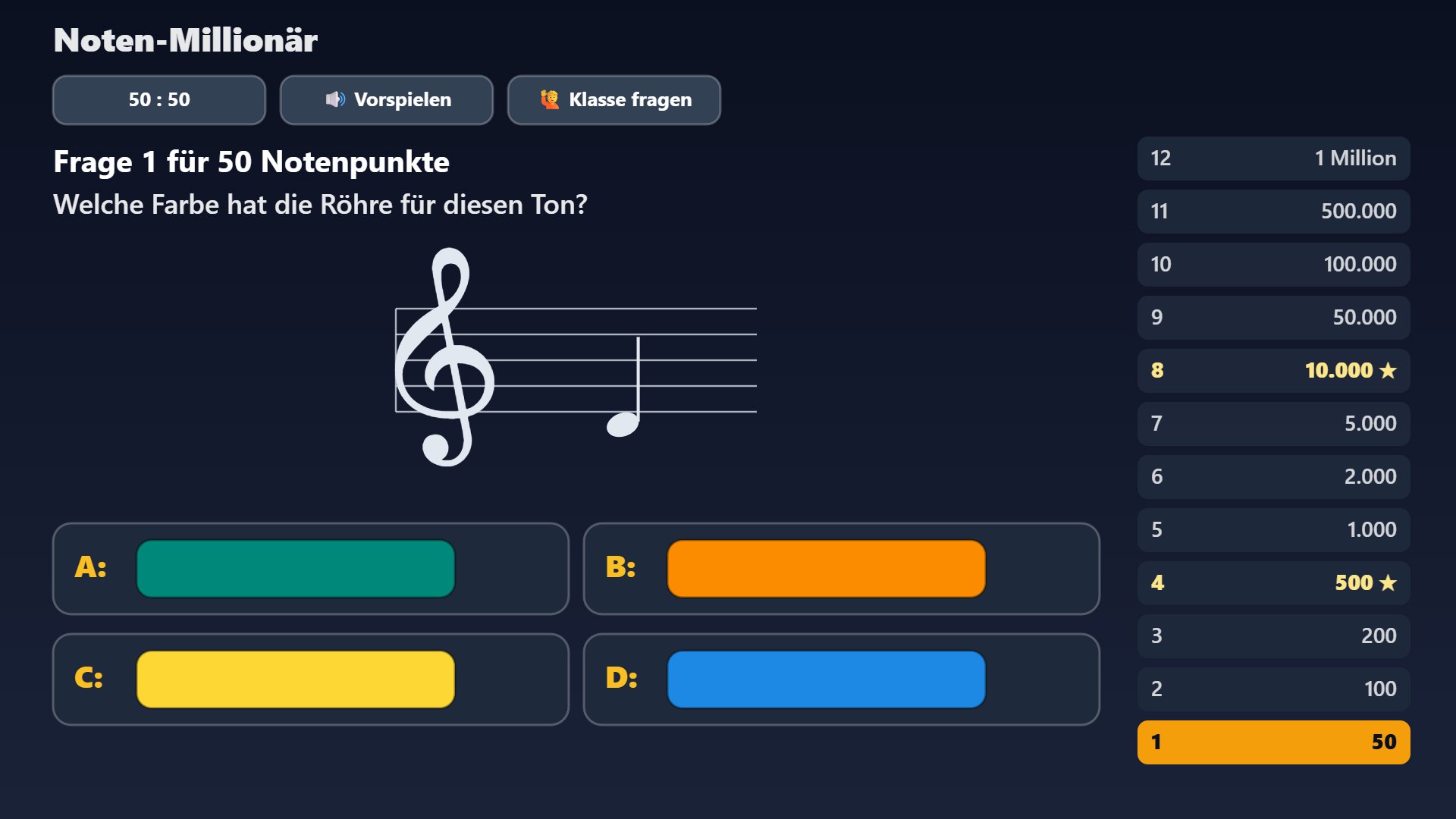
Note games for the whole class
Note Millionaire, Play-off Duel, Echo Chain, Race and a learning keyboard with unlockable sounds – on the projector and on the children’s tablets.
- Tablets join via QR code – with a number and an avatar, no names
- The teacher sees who is in and brings everyone to the front with one click
- Free practice: note names, note values, find the key
Made for the classroom
The little things that make the difference in a classroom.
Projector and full screen
A separate window for the second screen – the controls stay with you.
Remote control
Control it with a presentation clicker, a wireless remote or your phone – freely assignable keys.
Learning courses
Lessons with looped sections and tempo steps – for practising in small steps.
Works offline too
Runs from a USB stick or as an installed web app when the school Wi-Fi gives up.
Your own setups
Set up your room once – seats, instruments, sets of tubes – and reload it with one click.
Your own songs
Simply drag in MIDI and notation files (MusicXML).
More stages
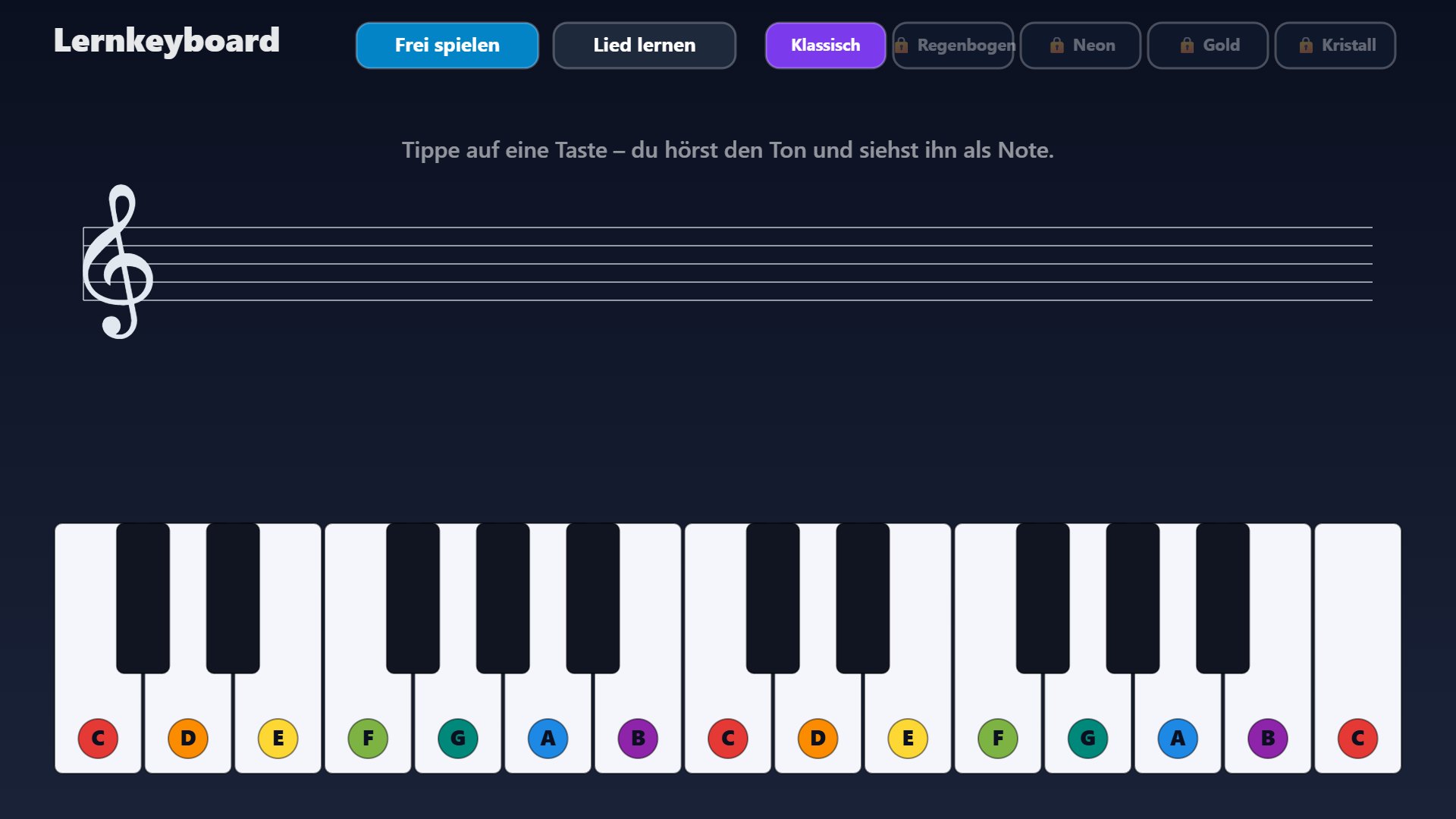
A few glimpses into Klangbahn – all real images from the program.
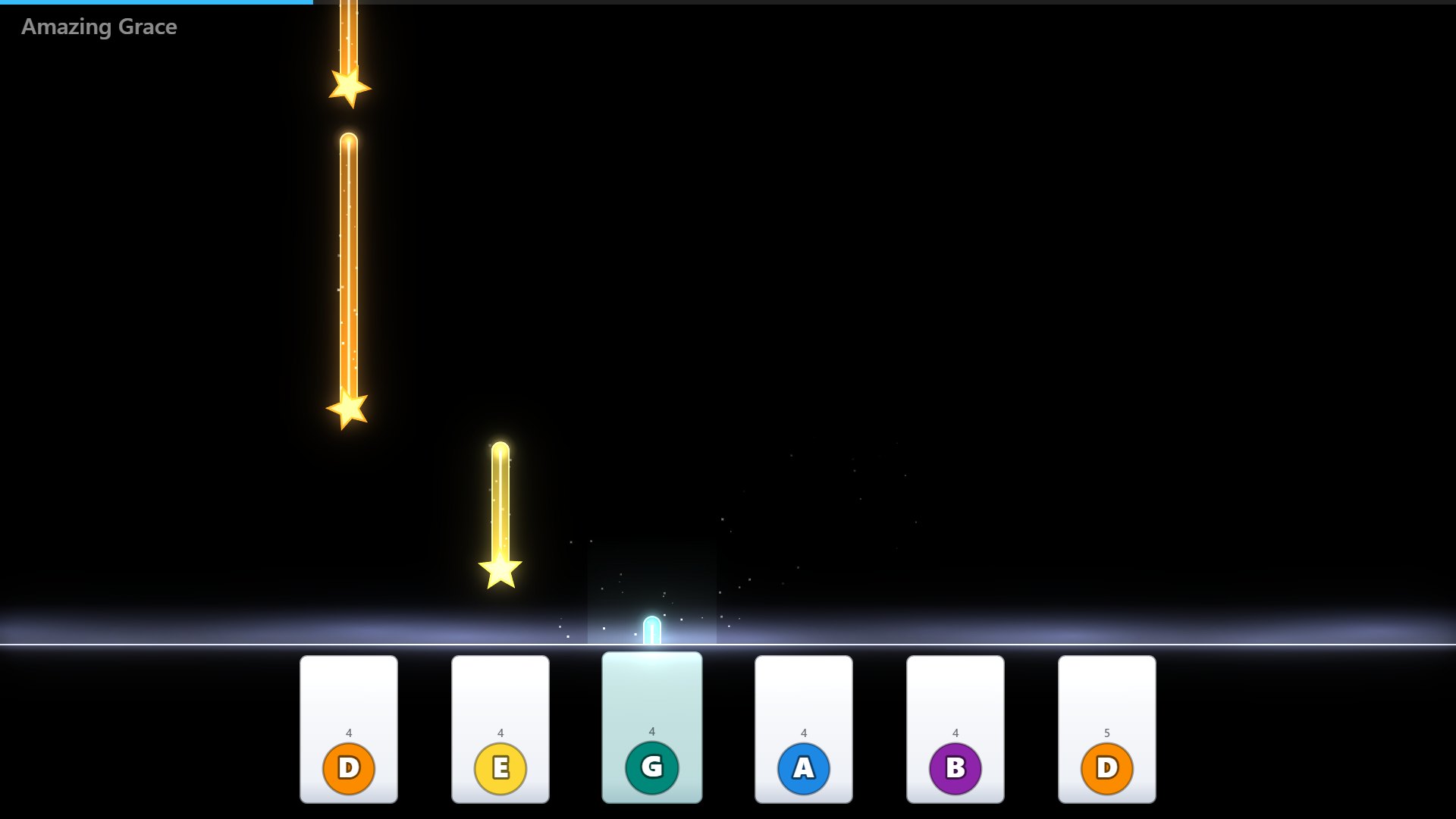
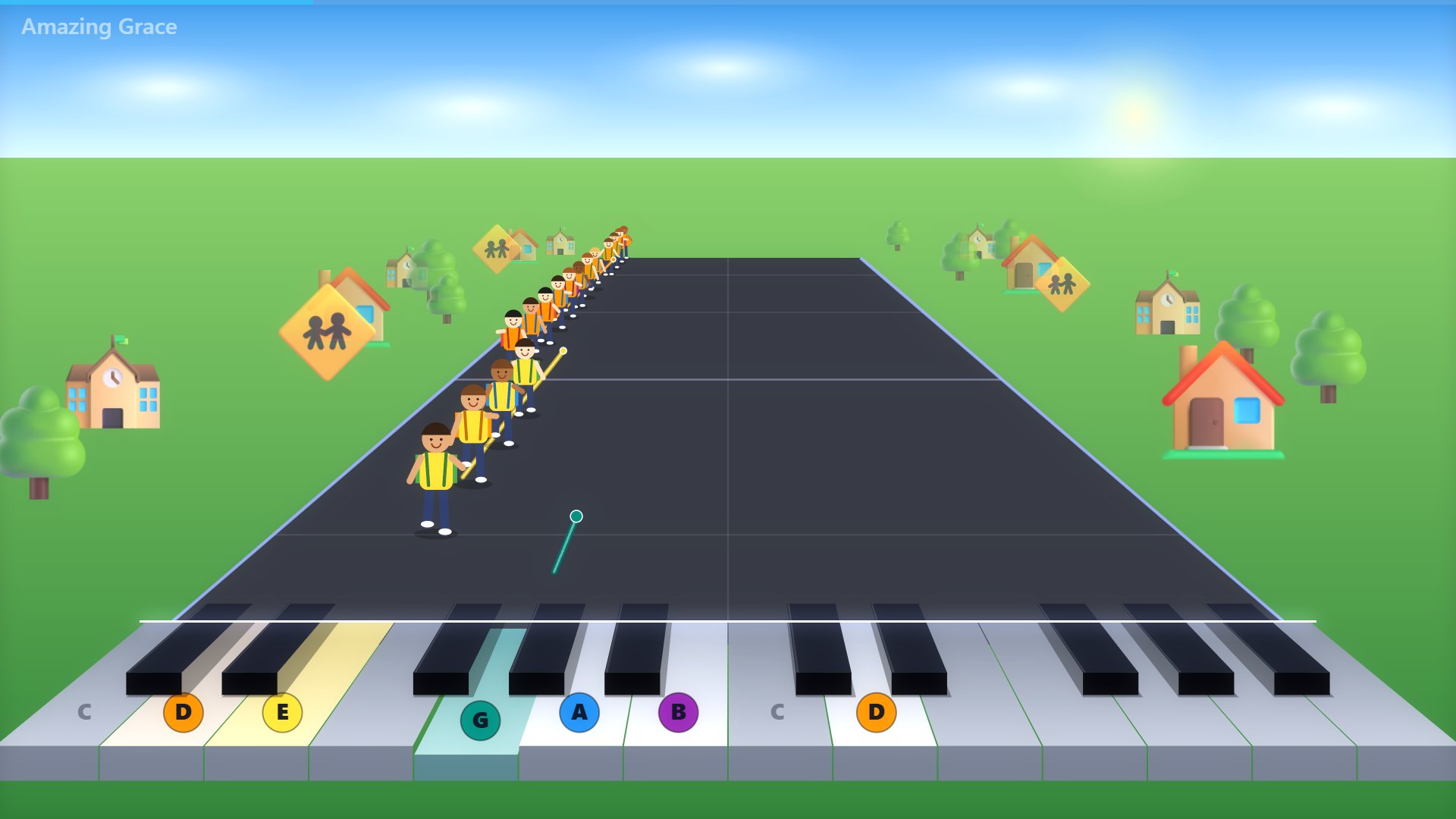
Made by a music teacher – for everyone who wants to make music
Klangbahn grew out of music lessons: one class, one set of Boomwhackers, a projector – and the wish that every child plays along from the very first minute. Today it also works at home on a phone: colours first, then names, then notes. More than 390 songs have been selected and checked for free use.
What makes Klangbahn different?
Play-along videos, learning apps and books with media are valuable – Klangbahn brings much of this together and is built for making music together.
| Klangbahn | Play-along videose.g. online | Learning appspiano, guitar | Books with mediapublisher material | |
|---|---|---|---|---|
| Any song – including your own sheet music and MIDI files | ✓ | – | partly | – |
| Free choice of tempo and key | ✓ | tempo only | ✓ | – |
| Made for the whole class | ✓ | ✓ | – | ✓ |
| Play along with feedback (hits, stars) | ✓ | – | ✓ | – |
| Several devices share one song | ✓ | – | – | – |
| Boomwhackers, Orff instruments, body percussion | ✓ | partly | – | ✓ |
| Your own sounds and voice as an instrument | ✓ | – | – | – |
| No account, no installation | ✓ | ✓ | – | partly |
The columns describe typical offers, not individual products (as of October 2026). Klangbahn complements lessons, books and instruments – it does not replace them.
Free – and what the full version adds
A lot is free for everyone. The full version opens all songs, all learning games and making music with the whole class.
| Freeno sign-up | Full versionfor families and teachers | |
|---|---|---|
| Change tempo, key and sounds | ✓ | ✓ |
| Selected songs | ✓ | ✓ |
| All of the roughly 400 songs | – | ✓ |
| Play along on your phone | ✓ | ✓ |
| Play together via QR code | ✓ | ✓ |
| Learning games: colours, note names, reading notes | ✓ | ✓ |
| All learning games (pro, bass clef, ear, echo, note values) | 1× trial each | ✓ |
| All stages | some 5× to try | ✓ |
| Class: seats, tablets, your own songs, video export | – | ✓ |
During the trial phase a lot is free. Prices for families, teachers and schools will follow.
Now in the trial phase
Klangbahn is currently being tried out with children, families and classes. Try it for free – prices for families, teachers and schools will follow. If you join now and give feedback, you help make it better.
Fair and ad-free. Every licence funds new songs, stages and learning games. No ads, no data trading, no accounts for children.
[open: contact for feedback]
Privacy that suits children
Klangbahn is built so that as little as possible – ideally nothing – is stored about children.
Frequently asked questions
From what age does it work?
With the colour game and “Wait for me” from about age 4. Note names and reading notes come later – at your own pace.
Do I need an instrument?
No. On a phone or tablet you tap right on the screen. If you have one, plug in a keyboard or play along with real Boomwhackers.
Does it work on phones and tablets?
Yes – in the browser, no app. Best with Chrome or Edge; on iPhone and iPad tapping works, a USB keyboard does not.
Does it cost anything?
A lot is free and needs no sign-up. The full version with all songs and learning games comes after the trial phase.
Do the children need to read music?
No. They start by playing by colours. The learning games and the notation view then lead step by step to reading music.
Which instruments work at school?
Whatever you have: Boomwhackers, keyboards, mallet instruments (xylophone, glockenspiel), percussion – or just hands, feet and cups. Everything can be mixed in one class.
Do I need internet?
Not for making music at school: Klangbahn also runs from a USB stick or as an installed web app. Playing together and the tablets need a connection.
Where do the songs come from?
From public domain and freely licensed sources; some are our own arrangements. Your own MIDI or notation files can be added in the full version.
Are there play-along videos?
Yes – play-along videos are appearing step by step on YouTube. [open: channel link]